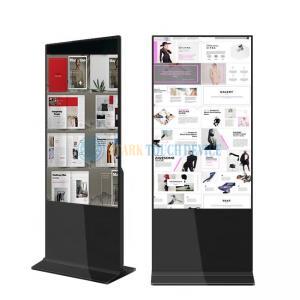
Indoor digital signage covers the commercial displays used inside buildings — retail floors, shopping centres, restaurants, corporate receptions, clinics, transport terminals and showrooms — where a screen has to run for long hours and stay readable under interior lighting rather than direct sunlight.
What separates an indoor commercial display from a consumer television is not resolution but duty cycle and control. Commercial panels are specified for continuous operation, and the electronics are built to accept scheduled playlists, remote updates and a fixed orientation that never changes for the life of the installation.
Ambient light. Most indoor positions are comfortable with a panel in the 300–700 cd/m² range. Shop windows and glazed atriums are the exception: daylight lands directly on the glass and washes out a standard panel, so a high-brightness model is the practical starting point. Where reflections rather than brightness are the problem, optical bonding removes the internal air gap and raises contrast without adding power.
Viewing distance and size. Size should follow the distance the audience actually stands at, not the wall space available. Comfortable reading distance scales with screen height, so a menu board viewed from two metres and a lobby wall viewed from eight metres are different products.
Orientation. Portrait suits menu boards, lift lobbies and fashion; landscape suits information walls and meeting rooms. Commercial panels are usually specified for one orientation, so this decision should be made before the mounting bracket is ordered.
Installation. Wall-mounted, ceiling-hung, floor-standing, shelf-edge and recessed frames each impose their own depth, service access and ventilation requirements. Recessed installations in particular need a plan for heat and for reaching the ports after the screen is fixed in place.
Playback and control. A standalone USB player is the simplest option; a networked Android or Windows player adds scheduling and remote updates; an HDMI feed from a PC suits interactive and live-data applications. Touch capability is a separate decision and usually changes the mounting and the software stack as well as the panel.
The display is only half of the system. Before purchase it is worth deciding who publishes content, how often it changes, whether playback continues when the network drops, and how a failed screen will be diagnosed and replaced. These questions usually determine whether a project needs a managed player rather than a simple media stick.
Where daylight falls directly on the screen, compare the outdoor digital signage range instead. For reflective or high-ambient-light indoor locations, optical bonding is often the difference between a readable screen and a mirror.