Welcome STARK TOUCH DEVICE!


Blog
Maintenance of industrial control computer interface expansion module
Maintaining Interface Expansion Modules for Industrial Control Computers
In industrial automation systems, interface expansion modules play a crucial role in enhancing the connectivity and functionality of industrial control computers. These modules enable the integration of various peripheral devices, sensors, and actuators, facilitating seamless data exchange and control. However, like any other component, interface expansion modules require regular maintenance to ensure optimal performance, reliability, and longevity. Here's a detailed guide on maintaining these essential components.
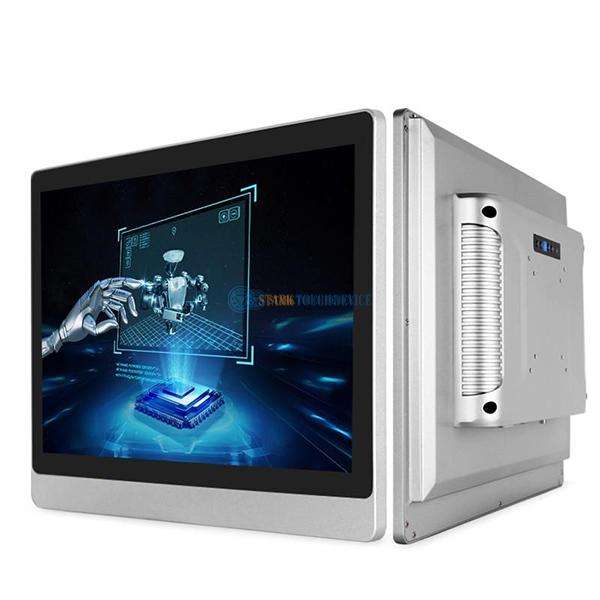
Understanding Common Issues with Interface Expansion Modules
Before diving into maintenance procedures, it's important to recognize the common problems that can arise with interface expansion modules. Identifying these issues early can help prevent more severe malfunctions and minimize downtime.
Connection Problems
One of the most frequent issues is connection instability. This can manifest as intermittent data transmission, loose connections, or complete disconnection of peripheral devices. Connection problems can stem from worn-out cables, damaged connectors, or improper installation of the expansion module. Regularly inspecting the physical connections and ensuring they are secure can help mitigate these issues.
Signal Interference
In industrial environments, electromagnetic interference (EMI) and radio frequency interference (RFI) are common. These interferences can disrupt the signals transmitted between the industrial control computer and the connected devices via the expansion module. Symptoms may include erratic behavior of sensors, incorrect data readings, or communication failures. Shielding cables, using proper grounding techniques, and keeping the expansion module away from sources of interference can help reduce signal interference.
Firmware and Software Glitches
Interface expansion modules often rely on firmware and software to function correctly. Over time, bugs, compatibility issues, or outdated versions can lead to malfunctions. These glitches can cause communication errors, incorrect data interpretation, or even system crashes. Regularly updating the firmware and software of the expansion module, as well as the industrial control computer's operating system, can help resolve these issues and improve overall performance.
Routine Maintenance Procedures
To keep interface expansion modules in good working condition, a set of routine maintenance procedures should be implemented. These procedures help identify and address potential problems before they escalate into major failures.
Visual Inspection
Perform a visual inspection of the interface expansion module and its associated components on a regular basis. Look for signs of physical damage, such as cracks, dents, or corrosion on the module itself, connectors, and cables. Check for loose screws or fasteners that may affect the module's stability. Additionally, inspect the surrounding area for dust, debris, or moisture accumulation, which can cause short circuits or other electrical problems.
Cleaning
Dust and debris can accumulate on the interface expansion module and its connectors over time, leading to poor contact and signal degradation. Use a soft, dry cloth or a can of compressed air to gently clean the module's surface, connectors, and any ventilation openings. Avoid using harsh chemicals or solvents that may damage the components. If the module is located in a particularly dusty environment, consider using dust covers or enclosures to protect it.
Testing Connectivity
Regularly test the connectivity of the interface expansion module to ensure that all connected devices are communicating properly. This can be done by sending test signals or data packets between the industrial control computer and the peripheral devices. Monitor the response times and data accuracy to detect any anomalies. If connectivity issues are detected, troubleshoot the problem by checking the physical connections, signal strength, and any relevant software settings.
Advanced Maintenance Techniques
In addition to routine maintenance, there are some advanced techniques that can be employed to further enhance the performance and reliability of interface expansion modules.
Calibration and Configuration
Some interface expansion modules may require calibration or configuration to ensure accurate data transmission and interpretation. This is particularly true for modules that interface with analog sensors or actuators. Follow the manufacturer's instructions to calibrate the module correctly, adjusting parameters such as gain, offset, and filtering settings as needed. Regularly review and update the configuration settings to accommodate changes in the industrial process or the connected devices.
Redundancy Planning
To minimize the impact of a single point of failure, consider implementing redundancy in the interface expansion module setup. This can involve using multiple expansion modules to connect critical devices or employing backup communication channels. In the event of a module failure, the redundant system can take over, ensuring continuous operation of the industrial control system. Regularly test the redundancy system to verify its functionality and make any necessary adjustments.
Documentation and Record-Keeping
Maintain detailed documentation of all maintenance activities performed on the interface expansion modules. This includes records of visual inspections, cleaning procedures, firmware updates, and any repairs or replacements. Documentation helps track the module's history, identify recurring issues, and plan future maintenance tasks more effectively. It also provides valuable information for troubleshooting and can be useful in case of warranty claims or audits.
By following these maintenance guidelines, industrial operators can ensure that their interface expansion modules continue to function reliably, enabling smooth communication between the industrial control computer and the connected devices. This, in turn, contributes to the overall efficiency, productivity, and safety of the industrial automation system.